Sandcastle: A web-based Linux desktop environment
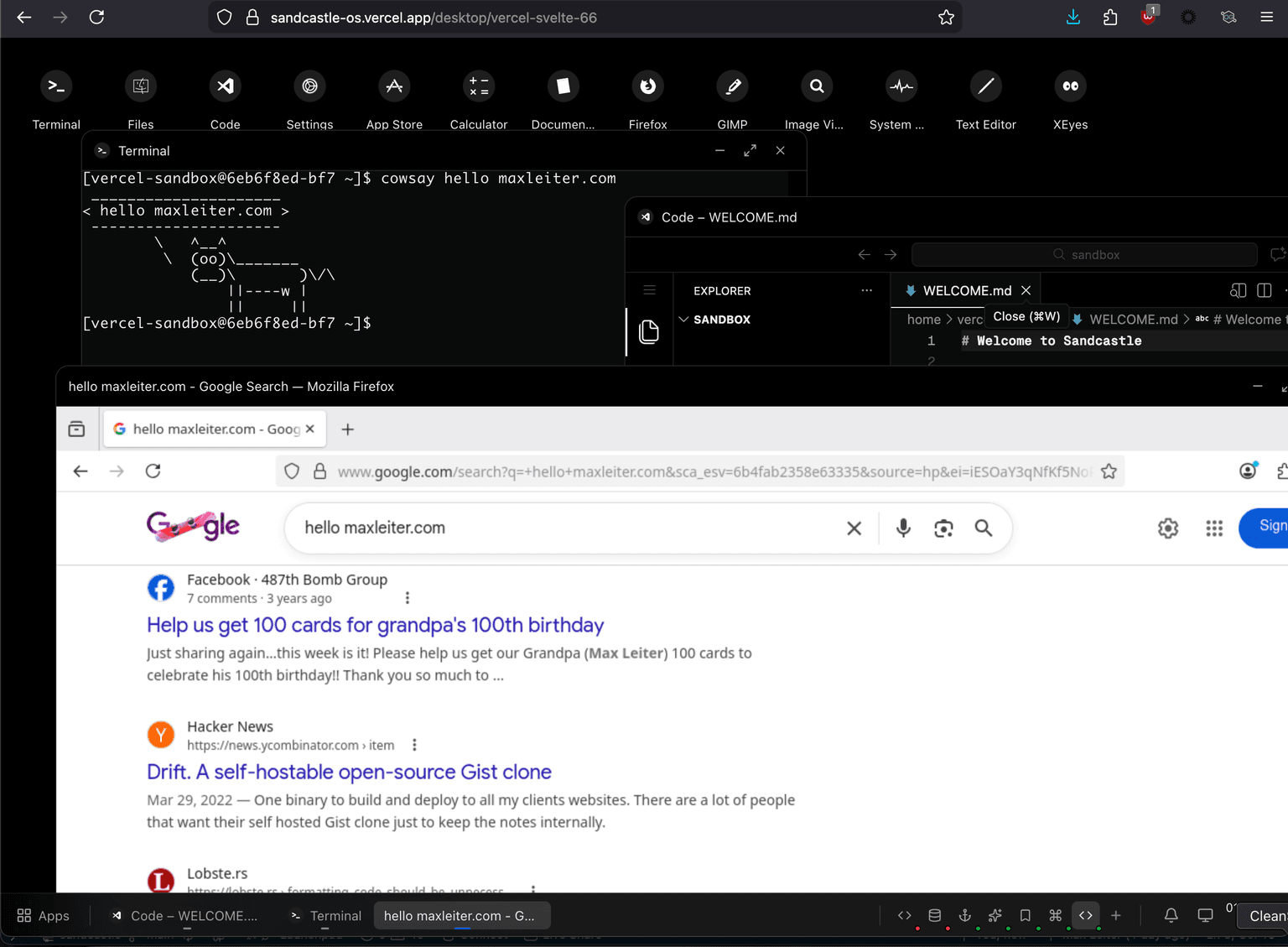
Six years ago, while I should have been studying for finals, I patched and compiled X11 (and all its dependencies) to run on a jailbroken iPad. I wanted to run real applications on my tablet.
I've spent the last few months weeks days hours building vibecoding something that feels like a better solution:
a Linux desktop environment, on the web. I wrote zero lines of code.
You can try it out here, and the source is available here.
Table of Contents
X11?
X11 is the display server protocol that has powered Linux machines for decades. Released in 1984, it handles drawing windows on screens and routing input (key presses and clicks) to the right applications. Because computers were very different in the 80s, X11 is built for servers and clients. The application runs on a server, and dumb clients can draw the windows and interact with it. The actual compute is on the server. (Note that today, most people don't use separate machines for their X server and clients - they both run on the same machine, like your laptop).
The client-server model, where programs are "X clients" and the display manager is the "X server," makes it possible to run graphical apps remotely over a network. And what is a website if not a client to a remote server?
Desktop Environments?
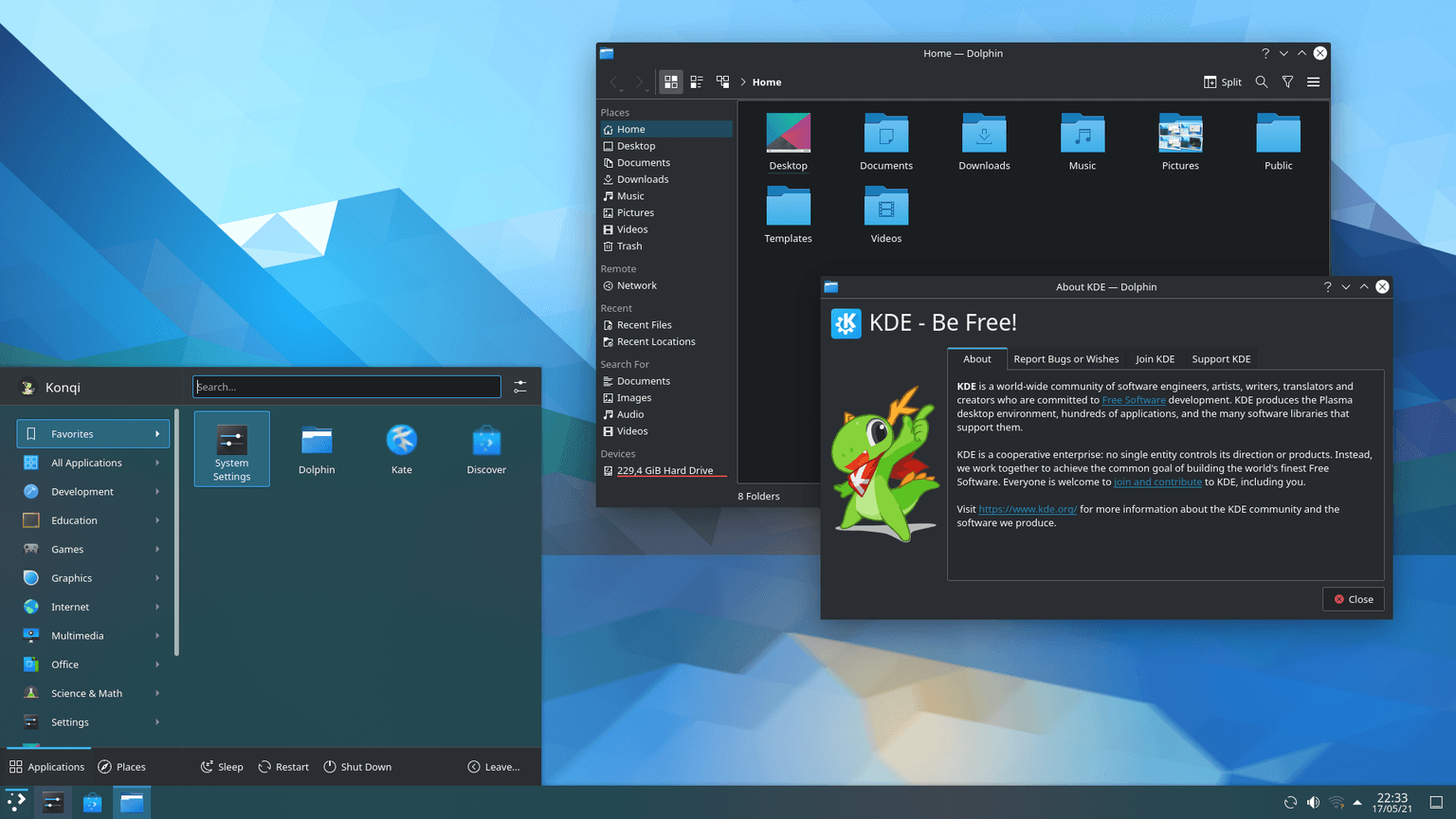
If you are on macOS or Windows, you use the desktop environment that Apple and Microsoft provide. Linux users do not have the same constraints: there are dozens of desktop environments to choose from, each with different takes on what a desktop can be. Each environment has its own software stack and configs; some are tiling and minimal, others are incredibly flashy.
Here's KDE:
Here's Sway:
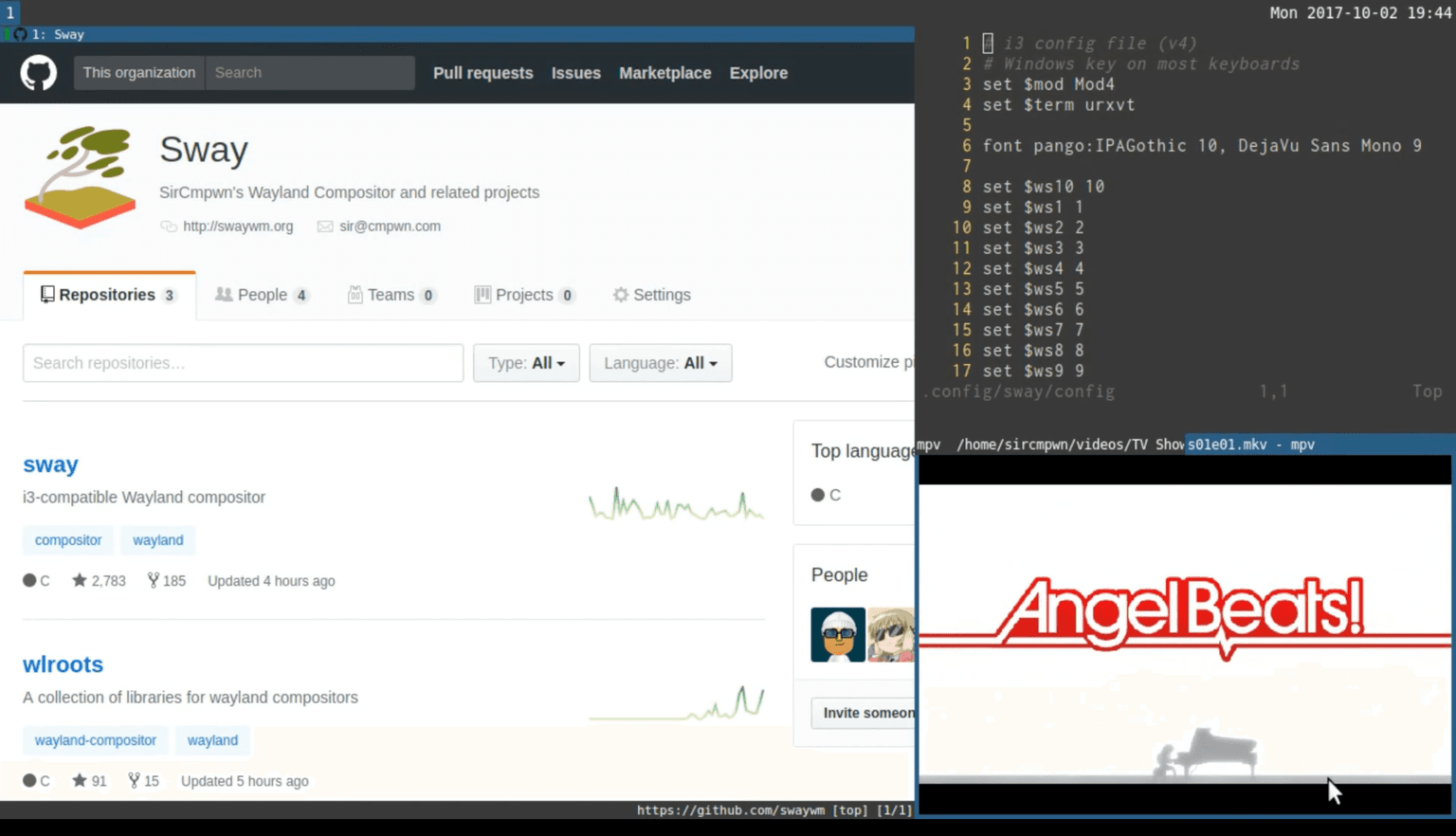
Sway is a tiling window manager: you don't really drag windows around, you use your keyboard and the windows tile against each other.
And here's Sandcastle:
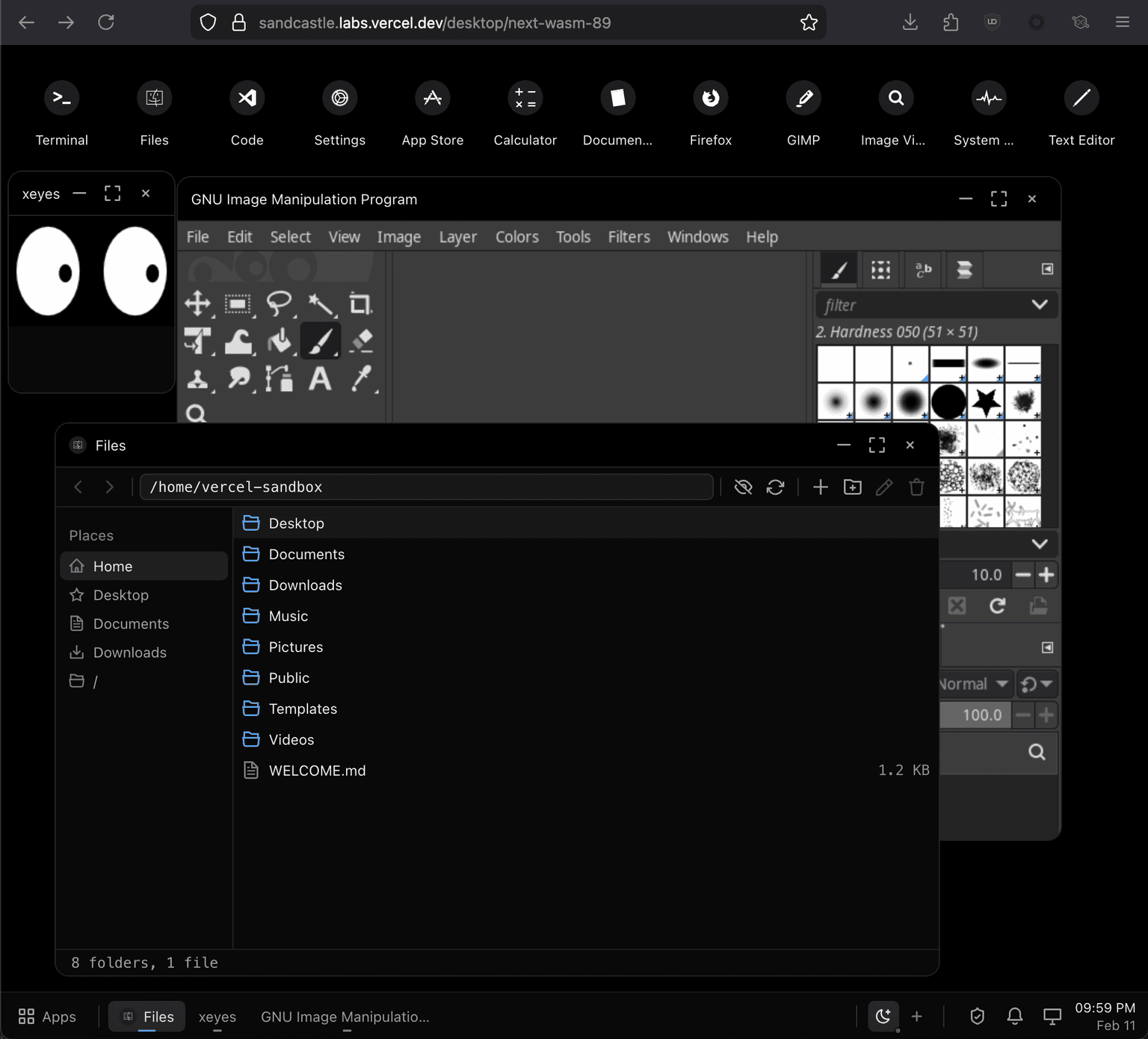
xeyes, GIMP, and a file explorer. At the top you can see the desktop icons.
So that kind of covers the client (more below), but what's the server here?
The servers
With the rise of AI agents that can make stupid and dangerous actions, plenty of companies are launching sandboxes. I built this on Vercel Sandbox, but theoretically any Linux machine can host the same.
There's a lot to like about sandboxes, but what I love is their ephemeral nature and ability to scale. Fluid Compute lets me worry less about cost, and snapshots let me not worry about keeping them running forever. I can spin up as many sandboxes as I need.
I also love running agents. But I hate having to manually approve their npm commands or reviewing the scripts
they are about to run. Sandboxes don't prevent agents from being tricked, but they do limit the blast radius.
If you get prompt injected with a malicious agent skill or npm package, the damage should be self-contained.
Plenty of people have tweeted about how they're running agents on their VPSs or Mac Minis. But the way they remote into them feels archaic. I love CLI agents as much as the next nerd but they are not ideal for mobile.
So I decided to mess around with what a sandboxed web OS could look like.
Enter Sandcastle
You can think of Sandcastle as a web interface to interact with the underlying Linux machine. The Files app is a React component running entirely in the browser. It uses some API routes that speak to the Linux machine to list the available files:
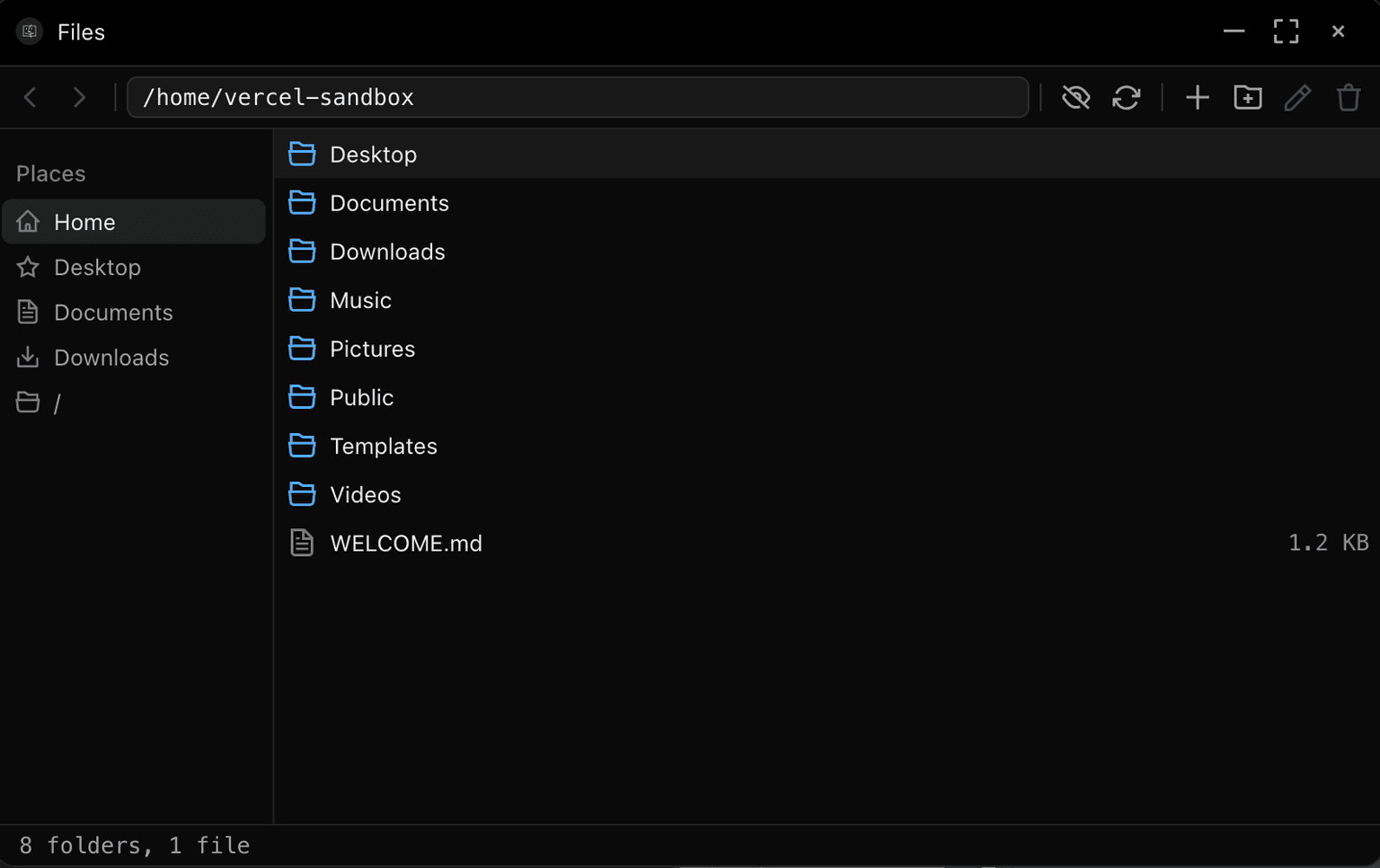
But it also runs X11 applications and streams them to the browser:

GIMP, gnome-calculator, Firefox, and a system monitor running
Here's an LLM-generated architecture diagram:
Browser (React)                        Next.js                      Vercel Sandbox (microVM)
┌──────────────────┐              ┌──────────────────┐             ┌──────────────────────┐
│ Desktop UI       │◄────────────►│ API Routes       │◄───────────►│ :14081 Services API  │
│ Window Manager   │              │ /api/sandbox/*   │             │   - file CRUD        │
│ Taskbar          │              │ /api/auth/*      │             │   - .desktop scanner │
│ App Launcher     │              │ /api/files/*     │             │   - process launcher │
│ (Cmd+K)          │              │ /api/apps/*      │             │                      │
│                  │              │                  │             │                      │
│ Terminal ────────┼──── WSS ─────┼──────────────────┼────────────►│ :14081 PTY Relay     │
│ (ghostty-web)    │              │                  │             │   - bash over WS     │
│                  │              │ Sandbox SDK      │             │                      │
│ Code Server ─────┼── iframe ───┼──────────────────┼────────────►│ :14082 code-server   │
│                  │              │ (@vercel/sandbox)│             │   - VS Code in browser│
│                  │              │                  │             │                      │
│ Xpra Canvas ─────┼── WSS ─────┼──────────────────┼────────────►│ :14080 Xpra Server   │
│ (X11 apps)       │              │                  │             │   - X11 app streaming│
│                  │              │                  │             │                      │
│ File Manager ────┼── fetch ────┼──► proxy ────────┼────────────►│ :14083 Reserved      │
└──────────────────┘              └────────┬─────────┘             └──────────────────────┘
                                           │
                                  ┌────────▼─────────┐
                                  │ Neon Postgres     │
                                  │ - users           │
                                  │ - workspaces      │
                                  │ - warm_pool       │
                                  │ - config          │
                                  └──────────────────┘
Pieces of the castle
Xpra
Xpra does a lot of the heavy lifting here. From their about section:
Xpra is known as "screen for X" : its seamless mode allows you to run X11 programs, usually on a remote host, direct their display to your local machine, and then to disconnect from these programs and reconnect from the same or another machine(s), without losing any state. Effectively giving you remote access to individual graphical applications. It can also be used to access existing desktop sessions and start remote desktop sessions.
By running Xpra on the underlying sandbox and using its websocket transport to render canvass on the client, we can
load and manipulate X windows.
Xpra also lets us make links clicked in X11 apps open in your browser, handles bidirectional clipboard syncing, etc. It's fantastic.
Ghostty-web
Unless you live in a cave, if you clicked on this post you've likely heard of the terminal emulator Ghostty.
While Sandcastle does support native terminal emulators like XTerm and alacritty, they suffer from being native apps: resizing is a bit wonky, keyboard input on
mobile is difficult (see: But what about mobile? below), and they suffer from input lag (it is over a network boundary, after all). By using a JavaScript "app" for the terminal emulator, those issues are all addressed and the terminal is snappy.
To accomplish this, I reached for ghostty-web, a WASM-compiled ghostty with xterm.js compatibility. I'd been wanting to experiment with ghostty-web for a while and
this was the perfect opportunity.
Hiding window decorations
Early on, I encountered a fun problem where X11 apps rendered their own window decorations (the traffic light icons for closing and the window title, mainly):

To fix this for most applications, I (AKA Claude) was able to write a system init script that does the following:
# We hide GTK's CSD via three mechanisms:
# 1. gtk-decoration-layout= (empty) -- removes window control buttons
# 2. Custom gtk.css -- collapses the headerbar to zero height
# 3. CSD shadow/border removal -- prevents extra padding around windows
Some apps still have window decorations, but the GNOME apps I like to use all look great now.
D-Bus and notifications
On a normal Linux desktop, applications don't talk to each other directly. They use a message bus called D-Bus. When Firefox finishes a download and shows a notification, it's sending a message over dbus to the notification daemon. When a video player tells the OS not to activate the screensaver, that's dbus too. Sandcastle doesn't have a real desktop environment running inside the VM, so none of these services are present.
Without them, programs like notify-send fail and GTK4 apps can't read the system theme. The fix Claude and I devised is a Python daemon that claims three bus names on a shared D-Bus session bus:
org.freedesktop.Notifications: implements the Desktop Notifications Specification, sonotify-sendand GLib apps can send notificationsorg.freedesktop.ScreenSaver: stubs the screensaver inhibit interface so apps like video players don't think the session is idleorg.freedesktop.portal.Desktop: exposes the color scheme setting so GTK4/libadwaita apps can read (and react to) dark/light mode without a fullxdg-desktop-portalThe tricky part was getting notifications from inside a Linux VM to a React app in the browser. The (gross) pipeline looks like this:
notify-send → D-Bus → Python bridge → JSON file → Node.js HTTP API → polling → toast UIThe bridge daemon writes its state to a JSON file. A Node.js service inside the sandbox reads that file and exposes it as HTTP routes. Any Linux app that knows how to send a notification will show a native desktop notification on your machine.
The same JSON file is how theme syncing works in reverse: when you toggle dark mode in the browser, it POSTs the new color-scheme to the Node.js service, which writes it to the JSON file, which the Python daemon reads. When the value changes, it emits a
SettingChangedD-Bus signal, and GTK apps pick up the theme change in real-time.
But what about mobile?
One fun thing about working on this is I got to experiment with what a responsive operating system can be. On desktops, you get a fairly familiar desktop environment: draggable windows, a task bar, desktop icons. But on smaller screens, it turns into more of a tiling window manager.
Ignore the busted terminal after resizing. I did say this was vibecoded.
"But Max", you may say, "you're using canvas elements to render the X11 apps. How do they handle input on mobile?"
"Great question!", I'd respond. On mobile, when you click the keyboard icon rendered on each window, there is a hidden <input> field
that passes its contents to the underlying app. There are also buttons for keys like ctrl, alt, etc. GIMP on a phone? It sucks to use, but it does work!
Vibecoding takeaways
This is generally what my IDE looked like while working on this:
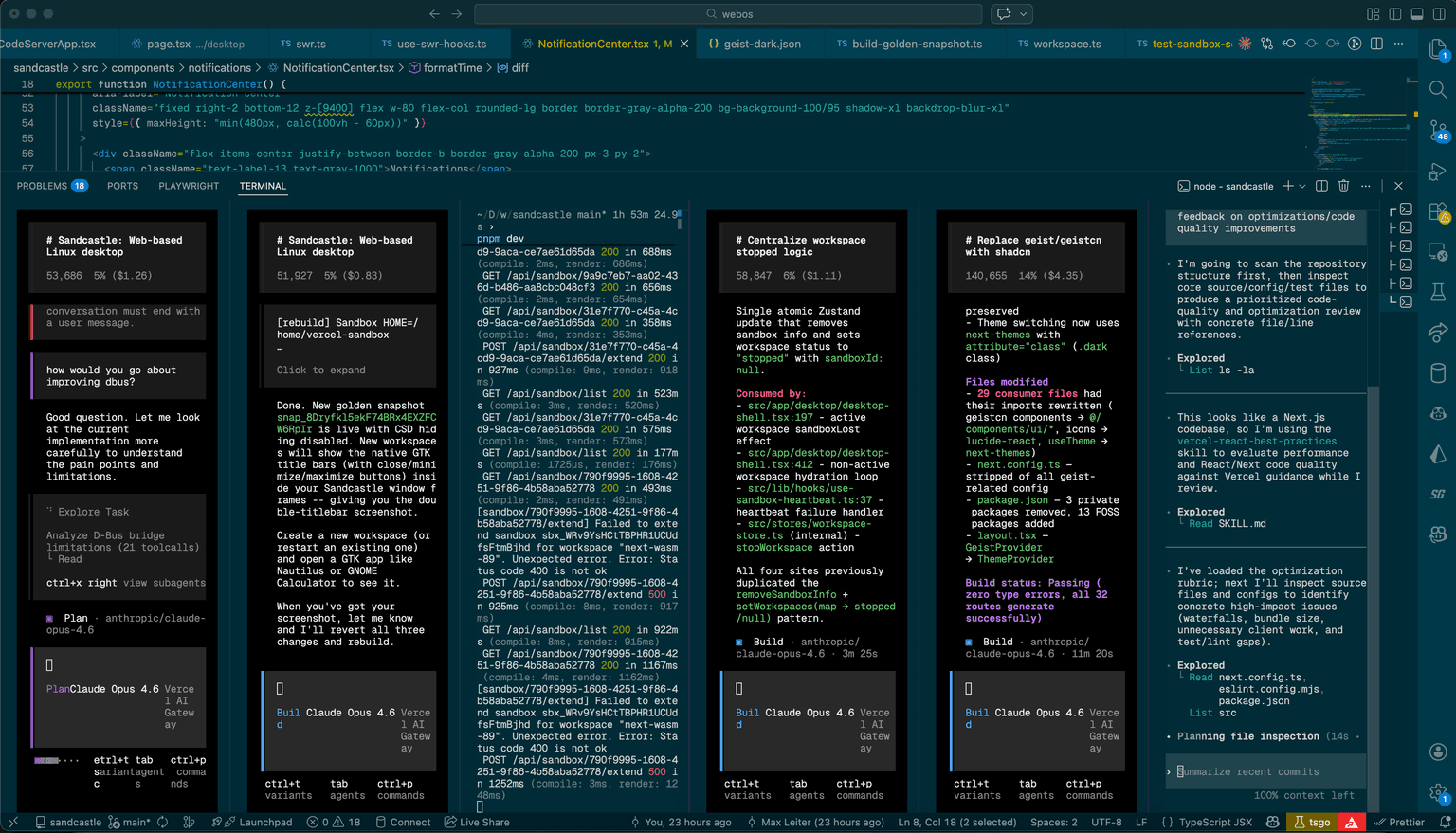
I used OpenCode with the Vercel AI Gateway (primarily for Opus 4.6 and Kimi K2.5) and Codex. Kimi and Opus are great for product work, but I feel like Codex is the smartest-but-slowest model. So I often have Codex review code and generate plans, then hand its plans off to other models for implementation.
One thing that let me iterate quickly here was the Sandbox CLI. My agents were able to spin up sandboxes, mess around with the underlying linux box, and use that knowledge in their code. This let them figure out things like what Vercel Sandboxes have by default, whether the python bridge was working, and xpra's CLI arguments.
After one agent spent time figuring out how the Sandbox CLI worked, I had it write a skill for other agents to use, and also had it draft an integration test. The test is just a simple script that spawns a sandbox, sets up Sandcastle, and validates all the files and functionality works as expected. Letting the agents experiment in the VM and having a simple test saved me countless hours of waiting for them to read docs and trial-by-error.
Wrapping up
Sandcastle is not meant to be a serious desktop environment. It's not even a serious project. Please do not use it in production.
But if agents are going to write and run code, install packages, and manipulate browsers, maybe the interface to that shouldn't be a terminal, or anything running on your own machine.
Six years ago I was compiling X11 by hand on an iPad. This time I just prompted it on my laptop. Next time, I hope to prompt it not on my own machine.