Running Wayland, X11, GNOME, and KDE natively on an iPad
X11 on iOS attempt 2: electric boogaloo hardware-accelerated Wayland edition
I like running software on devices that aren't "supposed" to run it.
I own the hardware. I should control the software. And for reasons, Apple makes phenomenal hardware and operating systems, but locks them down.
I've been bitter for a long time. Six years ago, when I should’ve been studying for finals, I ported X11 to my jailbroken iPad because I wanted to try using it as a "real" personal computer:
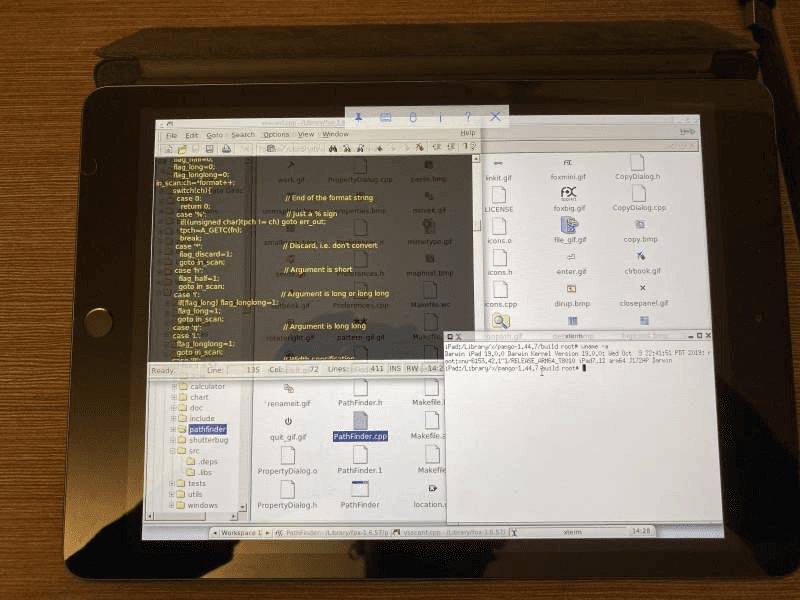
That first version worked, but also sucked: the X server ran on the iPad, but I used a VNC client to interact with it and a lot of software did not compile. I was using vim and xterm and it looked like something from the 90s.
With more experience, and with LLMs, I was able to get significantly further.
There is a "slop wiki" available at https://xios.maxleiter.com with more information, and the code is on GitHub.
Some screenshots:
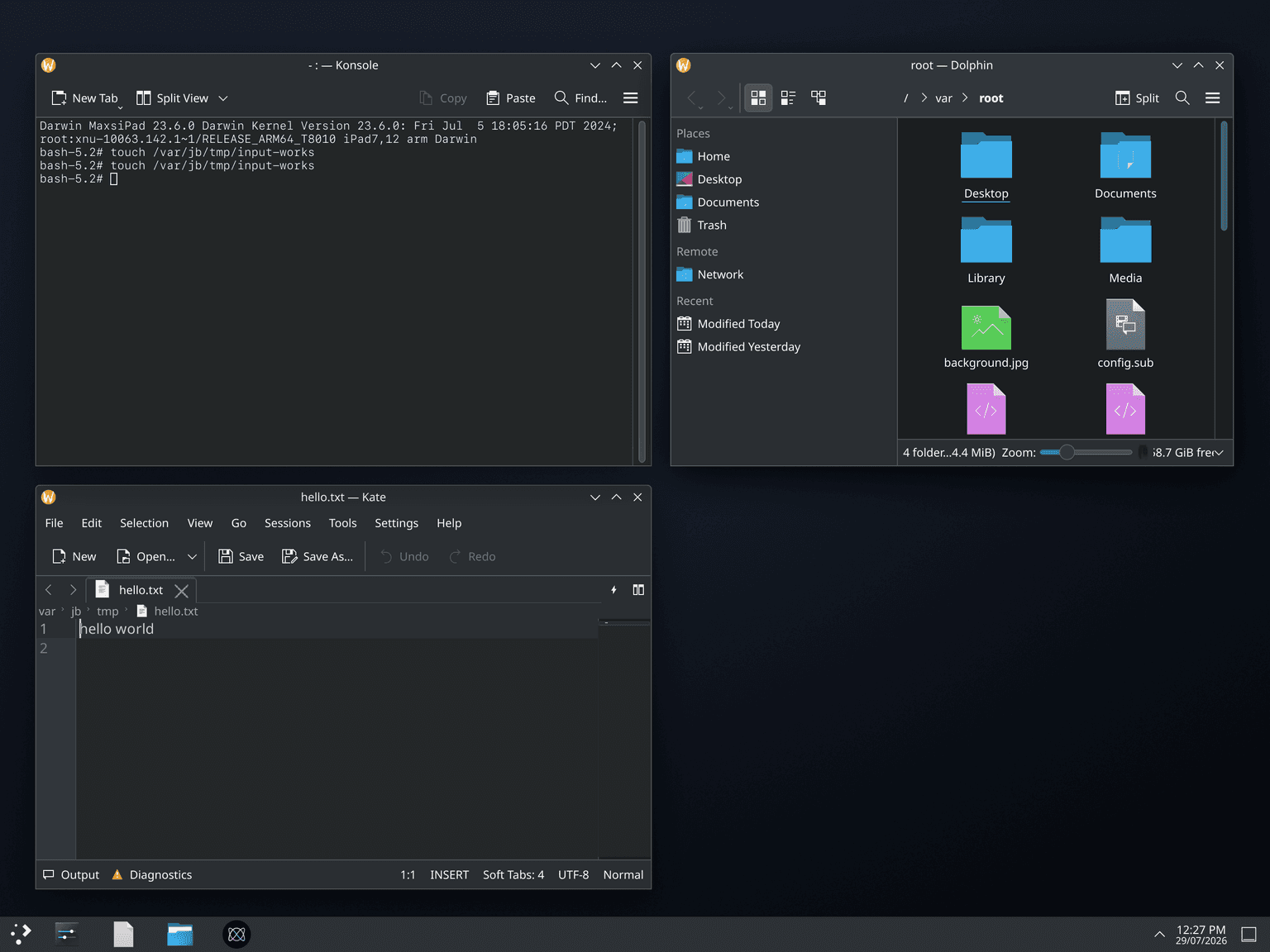
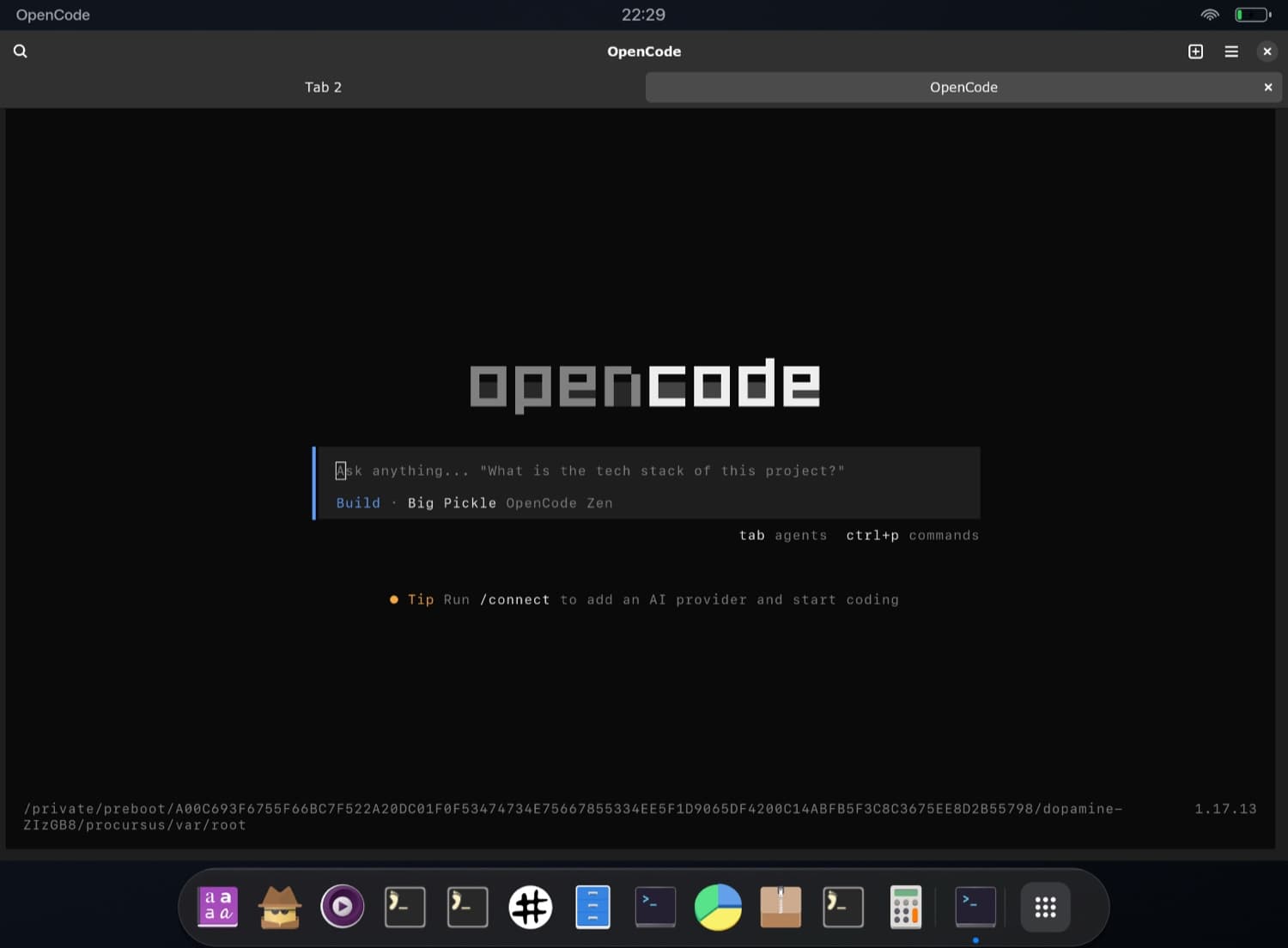
X11
If you're unfamiliar with X11, this post assumes a basic understanding, but TL;DR: it’s a window server and protocol that many devices use. It describes how things (i.e. windows) are drawn on the screen. A window manager tells X11 (or Wayland, a modern X11 alternative) where a window should be drawn and X handles notifying clients to draw it.
Apple even used it for a while 1 Apple supported it for a while, before moving to Quartz (and if you’ve ever used XQuartz, thats for rendering X windows on a quartz display).
On macOS, iOS, and windows, your window server and desktop environment are decided for you. On Linux, you can choose (or omit) your dock, notifications, menubars, window management; really whatever you want can be swapped around.
Because Apple devices are Unix, it’s always bothered me you couldn’t just compile and run those packages on iOS devices. Back in 2020 when I was first working on this, I didn't see a path for doing 'real work' on an iPad without a proper desktop due to iOS not being great for multiple windows. I also had a linux homebox that I wanted to forward windows from.
One difference between 2020 and now is that modern Linux desktops are now overwhelmingly using Wayland. Wayland is the newer display protocol versus X11, although "newer" is relative because it’s almost 20 years old. But its a lot easier to support.
So after consulting the oracle (Claude) it quickly became obvious this second attempt wasn't so much "can I draw X windows?" as it was "maybe this can actually be useful?" (useful for me- I don't expect the TAM for jailbroken devices is very large.)
xiOS
When I set upon this the first time, I was familiar with linux and software development, but I’ve learned a lot since then. About things. About things like build systems. I originally compiled everything on device, package-by-package with no uniform system. It sucked and I’m not happy with old-Max.
Thankfully, a little while after my ill-fated exploration, the folks at Procursus built a apt packaging system and some X/linux-y packages. I used procursus to bootstrap my work, then I sent a looped army of LLMs at it.
After a few days weeks of hitting enter and tab (and some occasional manual direction/reminders), and after building/porting over 500 packages, I have:
- Native Metal/IOSurface display handoff, so the iPad app presents compositor frames without copying pixels (through something like VNC)
- A Wayland compositor,
iosc, with a lightweight tablet-ish desktop shell (inspired by owl) - Hardware-accelerated Wayland clients via ANGLE-on-Metal
- X11 and Xwayland support
- GTK and Qt stacks cross-compiled for iOS
- KWin, KDE Frameworks, Plasma Desktop, and Plasma Mobile
- UIKit integration: touch, keyboard, clipboard, launchers, session switching, VoiceOver, and system bridges
- Hardware/system bridges for things software expects, like battery, brightness, sensors, audio, volume,
- Bun with JIT support, letting you run webservers, Node applications, and tools like OpenCode
- A successful LadyBird side-quest:
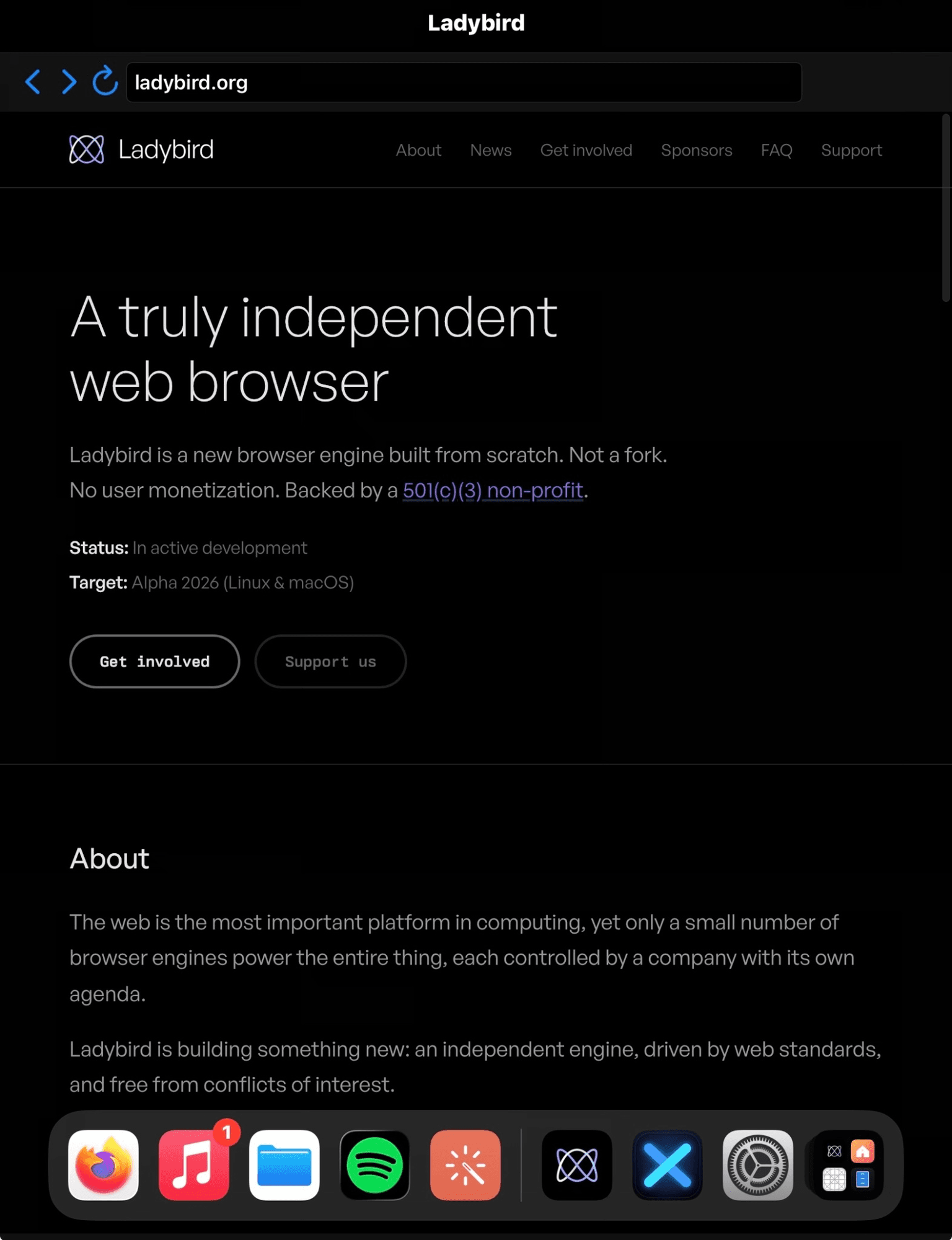
Some items above work better than others, but its all definitely functional.
GIMP running on the iPad
"Native" app mode
You can use the xios app to have a proper desktop display. But you can also run individual desktop app instances in their own pacakged apps so they appear on your homescreen and have their own display.
GNOME Calculator and Terminal
Great for loops
A reason this was possible is because it was fantastic for looping LLMs. Add a package, compile it, build fails, fix build, recompile, continue.
In Claude's words:
A lot of the project was not “port GNOME” in the grand heroic sense. It was more like: why did this one library try to mmap something iOS refuses to mmap, and why did that make Plasma die in a completely different process? Which is, unfortunately, the good stuff.
and
- cross-compile this package
- inspect why the deb is missing a dylib
- patch this Meson option
- figure out why the process launches over SSH but not launchd
- check whether the app actually has DER entitlements
- read the crash log
- compare the package contents
- try again
- try again, but less wrong
Claude also wrote some tools for itself along the way. The most useful one is xios-device, a wrapper around ssh and rsync:
xios-device doctor           # host tools, SSH, on-device helpers
xios-device session gnome    # start a session
xios-device app kgx          # launch a client into it
xios-device input click 400 300
xios-device shot             # screenshot + logs, into artifacts/
Whenever an agent struggled to debug something, it added the necessary tools and debugging logic.
Isn't jailbreaking dead?
Pretty much. There are new jailbreaks for iPadOS/iOS 16 and 17, but only for old devices.
The most modern device you can jailbreak (afaik) are the M2 iPad Pros if they are on iOS 16.5 or below. 2
I think its tragic that LLMs could bring about the golden age of jailbreaking, years after jailbreaking is actually useful for the majority of people.
How can I try this?
I have a deb repository you can add to Cydia/Sileo/your jailbreak package manager of choice: https://repo.maxleiter.com
Footnotes
-
Thanks hackernews user lukeh for correcting me ↩
-
If you have one - please let me know! ↩